



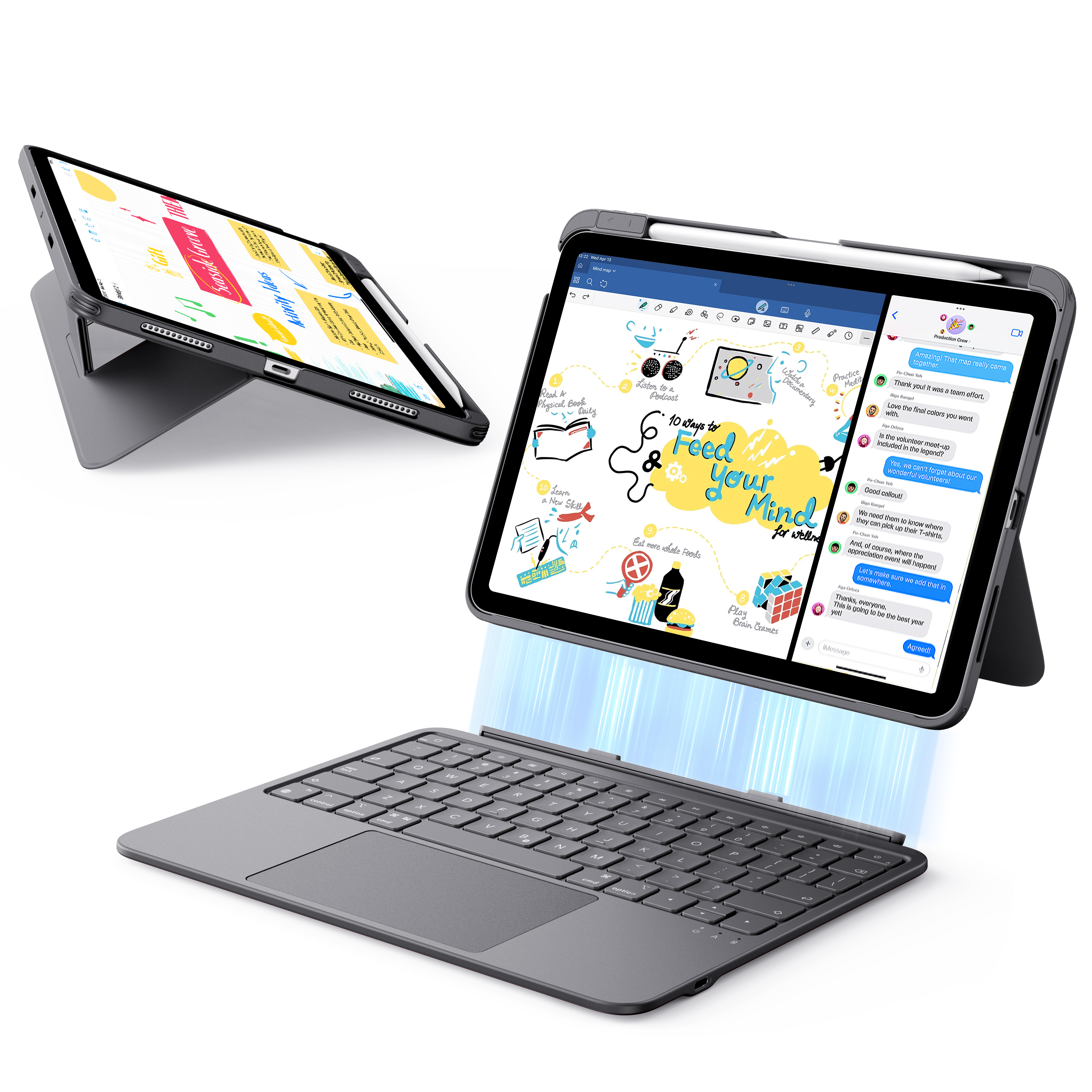
ESR Flex Keyboard Case (Detachable)
Select a Model
Video is coming soon
FAQ
Need help? Our support team will reply within one business day.
Useful?
ESR Flex Keyboard Case (Detachable)
Select a Model
Video is coming soon
FAQ
1. Check compatibility: This keyboard has two models, each compatible with:
6B031: iPad 10.9" (11th/10th Gen)
6B032: iPad Air 10.9" (11th/5th/4th Gen)
2. Power on: Press and hold the power button for 3 seconds to turn it on.
3. Charge the keyboard: If the battery is low after prolonged use or standby, recharge it.
4. Avoid damage: Protect the keyboard from heavy impacts or water exposure.
You can adjust the speed in iPad Settings > General > Trackpad. There are 10 speed levels available (default is level 5), so you can customize it to match your preferred level of responsiveness.
The typing angle is fixed for optimal ergonomics.
Note: This keyboard does not support portrait mode.
- Recharge the keyboard and try again.
- Confirm your iPad model is compatible (see Q1).
- Avoid areas with strong electromagnetic interference (e.g., near microwaves, routers).
- Avoid using in crowded spaces to reduce Bluetooth interference.
- To open:Hold the top half of the iPad in landscape mode, then lift the lower back cover outward until fully extended (seem image for reference).
- To close:Press the bottom of the stand marked "PUSH" to fold it back into place.
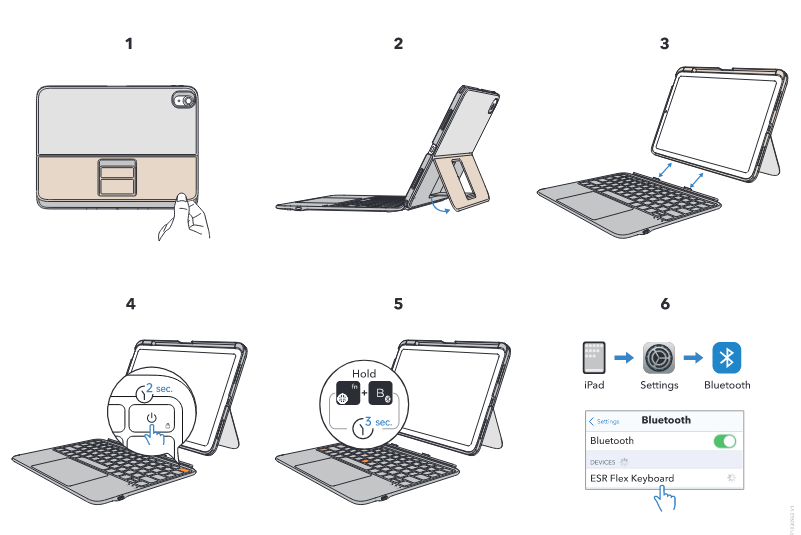
Yes. First, connect the keyboard to your iPad.
Enable Tap to Click on your iPad in:
Settings > General > Trackpad > enable "Tap to Click".
To fix this, disable AssistiveTouch:
Go to Settings > Accessibility > Touch > AssistiveTouch, then toggle it off.
No. The keyboard and iPad charge separately.
Use the included USB-C cable to charge the Bluetooth keyboard case.
The ESC function is built into a key combination.
Press FN + □ (top-left key) for the ESC function.
- Copy/Paste: ⌘ + C / ⌘ + V
- Switch apps: ⌘ + Tab
- Text selection:Same line: Shift + ⌘ + ←/→By word: Shift + Option + ←/→
- Safari shortcuts:
Next tab: Control + Tab
Previous tab: Control + Shift + Tab
Close tab: ⌘ + W
For more, refer to Apple’s official website.
Go to Settings > General > Trackpad > Tracking Speed on your iPad, then drag the slider to set your preferred speed.
Need help? Our support team will reply within one business day.
Useful?


